An old smartphone is a remarkably capable little computer. It has a multicore processor, a GPU, fast storage, a high-resolution touchscreen and a battery. I wanted to see how much of that hardware we could put to work with a conventional Linux installation.
The plan was this:
Working Linux kernel -> Arch Linux ARM -> Omarchy
Getting there has involved firmware recovery, bootloader experiments, kernel changes and a surprising amount of work on things that Android normally makes invisible. At time of writing, we have reached a working desktop. Making it an efficient portable computer is the next substantial challenge.
The Exact Phone
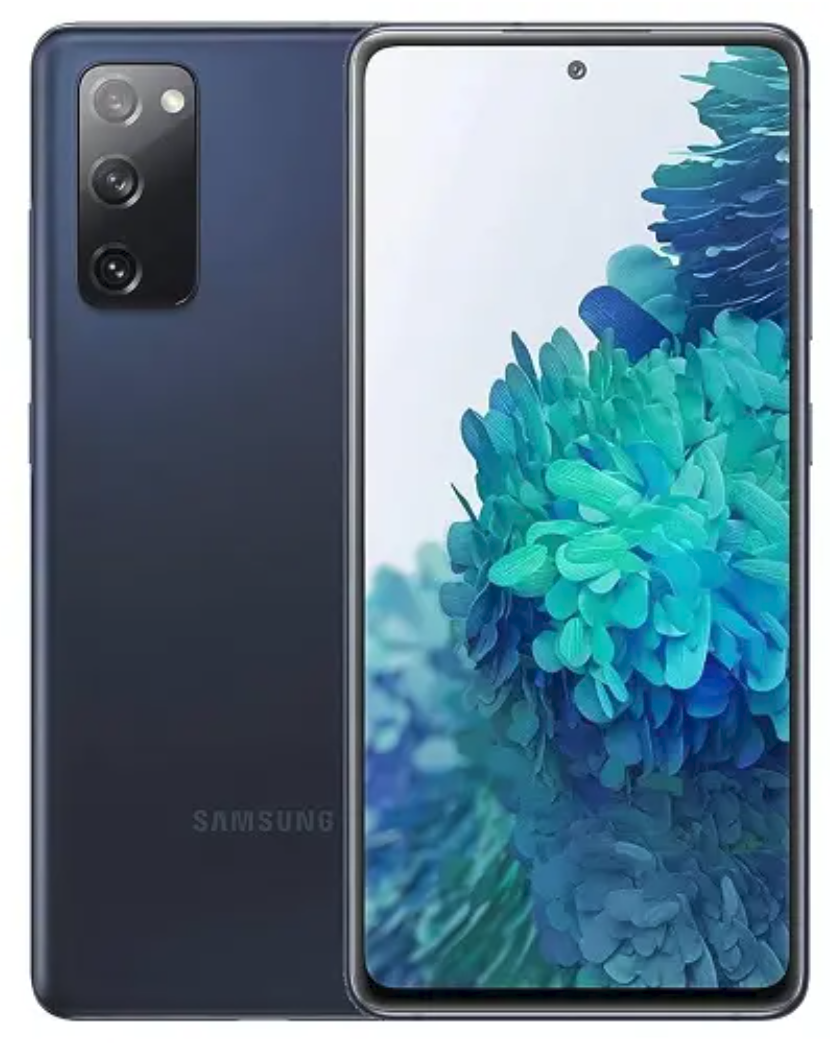
Samsung Galaxy S20 FE 5G
If you bought your S20 in Europe, stop reading. This project can’t help you.
The version of the Samsung S20 that is relevant here is the version with the Snapdragon processor, sold in American and Asia. I had mine drop-shipped to the UK from Hong Kong in the pandemic. I specifically wanted the Snapdragon version at the time.
The device is a Samsung Galaxy S20 FE 5G, model SM-G7810, originally from Hong Kong, with the TGY regional
firmware designation. Its Samsung device codename is r8q.
Inside is a Qualcomm Snapdragon 865, identified in Linux platform terminology as SM8250, or kona. It has eight
CPU cores and an Adreno 650 GPU; Qualcomm’s Snapdragon 865
specifications describe the
underlying platform. Our handset has 128 GB of KIOXIA UFS storage and a 1080 × 2400 AMOLED display.
The project depends on the Snapdragon platform, this board’s wiring, its firmware and even which touchscreen controller was fitted.
Unlocking the Bootloader, and Recovering Stock Firmware
We began with Android 13 and One UI 5.1. Enabling OEM unlocking was followed by Samsung’s actual device-unlock procedure in Download Mode. That factory-reset the phone. Afterwards, the OEM unlocking switch remained enabled and greyed out, and startup displayed the unlocked-bootloader warning.
Unlocking allows custom boot images, but it does not remove every security boundary. Android Verified Boot also needed a
verification-disabled vbmeta configuration for our custom boot path. Samsung’s trusted firmware still matters later,
particularly for GPU firmware authentication.
Before installing Linux, we preserved stock firmware and the Partition Information Table (PIT). The phone’s layout contains 87 PIT entries across its storage units. Keeping a reliable route back to Android was part of the engineering project.
Even updating stock firmware became an obstacle course. Samsung’s OTA updater refused the unlocked device. Odin4 could
open the USB device but failed its protocol handshake. Another flashing path stopped at a dynamic SUPER partition
preflight, reporting insufficient space or corrupted metadata.
Heimdall 2.2.2 eventually completed the HZE1 stock restoration. Android booted again with the bootloader still unlocked. Restoring stock first gave us a known working baseline before changing the boot path.
A UEFI boot path
Our starting point for Linux was the existing r8q-arch project, adapted and extended for this handset. The key bridge is Mu-Silicium, a UEFI firmware port for ARM64 devices.
Mu-Silicium goes into Samsung’s BOOT partition. We repurpose CACHE as a FAT EFI filesystem, and eventually use
USERDATA for the Linux root filesystem. Samsung’s earlier boot stages remain in the chain.
Once Mu is running, the path looks more familiar:
Mu-Silicium UEFI
  -> CACHE: EFI/BOOT/BOOTAA64.EFI
  -> Linux EFI stub and embedded initramfs
  -> USERDATA: Arch Linux ARM
  -> systemd
The kernel is based on mainline Linux 7.1.2, with board-specific patches and configuration. This means the project involves much more than replacing Android’s applications.
The first attempts did not immediately produce a Linux console. One configuration requested a device-tree file that was absent from the EFI filesystem. The device tree describes the board’s hardware to Linux; correcting the handoff let us move beyond the earlier EFI loading error.
After a couple of days of trying, the phone finally displayed Linux kernel messages. Later, diagnostic heartbeat
messages established that its embedded initramfs was running. At that stage, we deliberately skipped mounting
USERDATA.
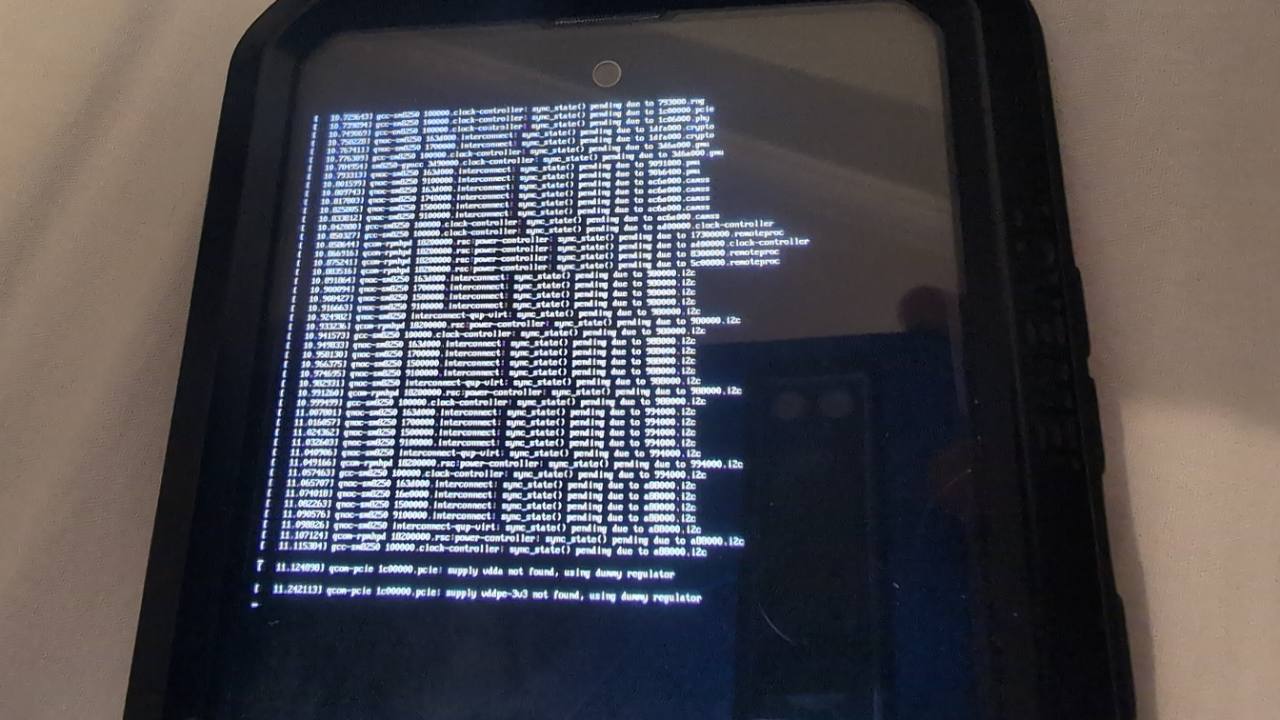
The first breakthrough: Linux kernel messages on the phone.
Tiny Shell Bug Pretending to be USB problem
Remote access was essential. A phone-sized console is useful evidence, but a USB network connection makes driver investigation much easier.
The diagnostic initramfs appeared unable to find its USB device controller. Its controller lookup used head -1, which
the embedded BusyBox rejected. A failure-log command had the same problem with tail -40.
Changing those to head -n 1 and tail -n 40 repaired the diagnostic. Tests against the actual ARM64 BusyBox
reproduced the old failures. The apparent absence of a controller had partly been an empty-output bug in our own
tooling.
With the corrected image, USB networking enumerated after a cable reconnect, and we reached a diagnostic root shell. We could inspect the running kernel and storage directly.
Arch Linux ARM, and the Clock That Wouldn’t Tick
The next step was a signed Arch Linux ARM AArch64 root filesystem. We prepared an ext4
image for USERDATA and switched from the diagnostic kernel setup to the normal switch-root path.
SSH confirmed Arch Linux ARM running natively, with systemd as PID 1 and USERDATA mounted read/write as /. USB
networking then provided internet access for package installation.
The clock needed attention first. Mu exposed a dummy firmware clock, while the native PM8150 RTC was counting from a 1970 epoch. Attempts to set the hardware clock encountered protected writes.
The solution uses the native counter with a UTC offset, restored from the Linux filesystem during startup. A reboot with network time synchronization disabled confirmed that the system could recover the right time. Even something as ordinary as a trustworthy clock required work across the kernel and firmware boundary.
Wi-Fi Exposed Startup Dependency
Wi-Fi uses the Qualcomm QCA6390, through the mainline ath11k_pci driver and its supporting modules. We demonstrated
association, DHCP, DNS, HTTPS and SSH over Wi-Fi.
Then a reboot lost both network access paths.
The recovered boot journal showed that cfg80211 had loaded before our guarded USB routing helper. That helper refused
the unexpected early module state; Wi-Fi startup then waited on the failed USB preparation. We corrected the ordering
and module-loading policy, and repeated reboots restored both connections.
USB routing itself involved the Samsung MAX77705 controller. At startup, its data switch could remain open instead of connecting USB to the application processor. A narrowly guarded helper selects the expected route when the observed hardware state permits it.
Bluetooth remains unfinished. Sharing a QCA6390 chip with working Wi-Fi does not establish a working Bluetooth path: its UART transport, driver and firmware still need separate bring-up.
Graphics and Touch: Parts of the Desktop
Graphical Acceleration
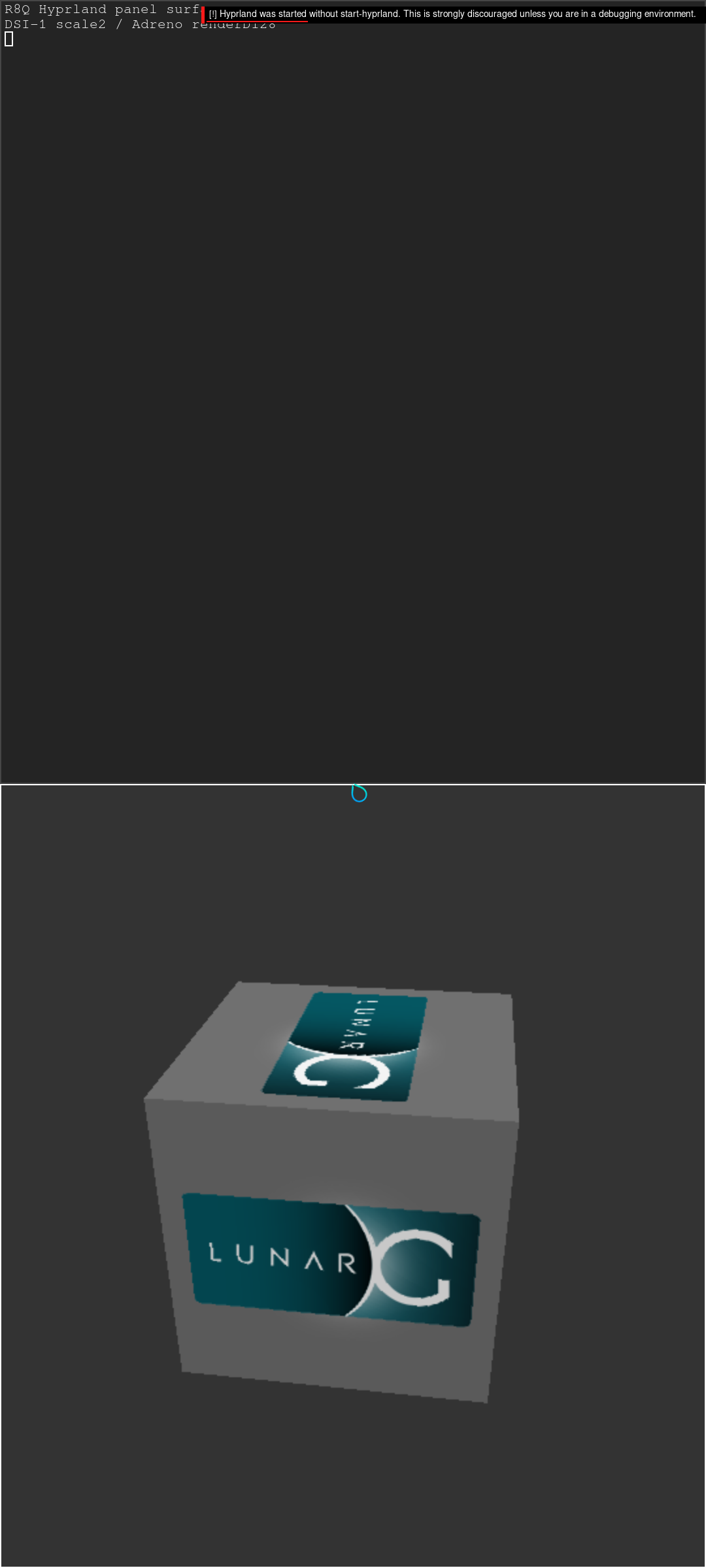
Adreno rendering in Hyprland: the Vulkan cube test.
The display currently uses a framebuffer that firmware has already initialized. Linux’s simpledrm driver provides the
display output, while the Adreno GPU supplies a separate rendering device. The compositor renders on the GPU and copies
the result into the display buffer.
This gives us accelerated graphics before we have a complete native panel driver. It also leaves an important limitation for later: firmware still owns much of the display’s power setup.
The GPU needed Samsung-signed ‘zap’ firmware from the handset’s stock firmware. Generic firmware was not interchangeable at that trust boundary. The working setup also loads it into dynamically allocated memory rather than the problematic fixed carveout.
We verified rendering with terminal windows and a Vulkan cube, including screenshots of the actual phone display.
Craving Touch
Touch required checking the hardware fitted to this particular unit. It has a Zinitix controller; the alternate FTS controller described in the project was not present. Finger taps and swipes established correct axes and releases. Later, I typed through Squeekboard and activated a GTK application’s button in Hyprland. That proved finger-to-application interaction in the tested GTK client, beyond merely registering an input device.
Hyprland, then an Adapted Omarchy Desktop
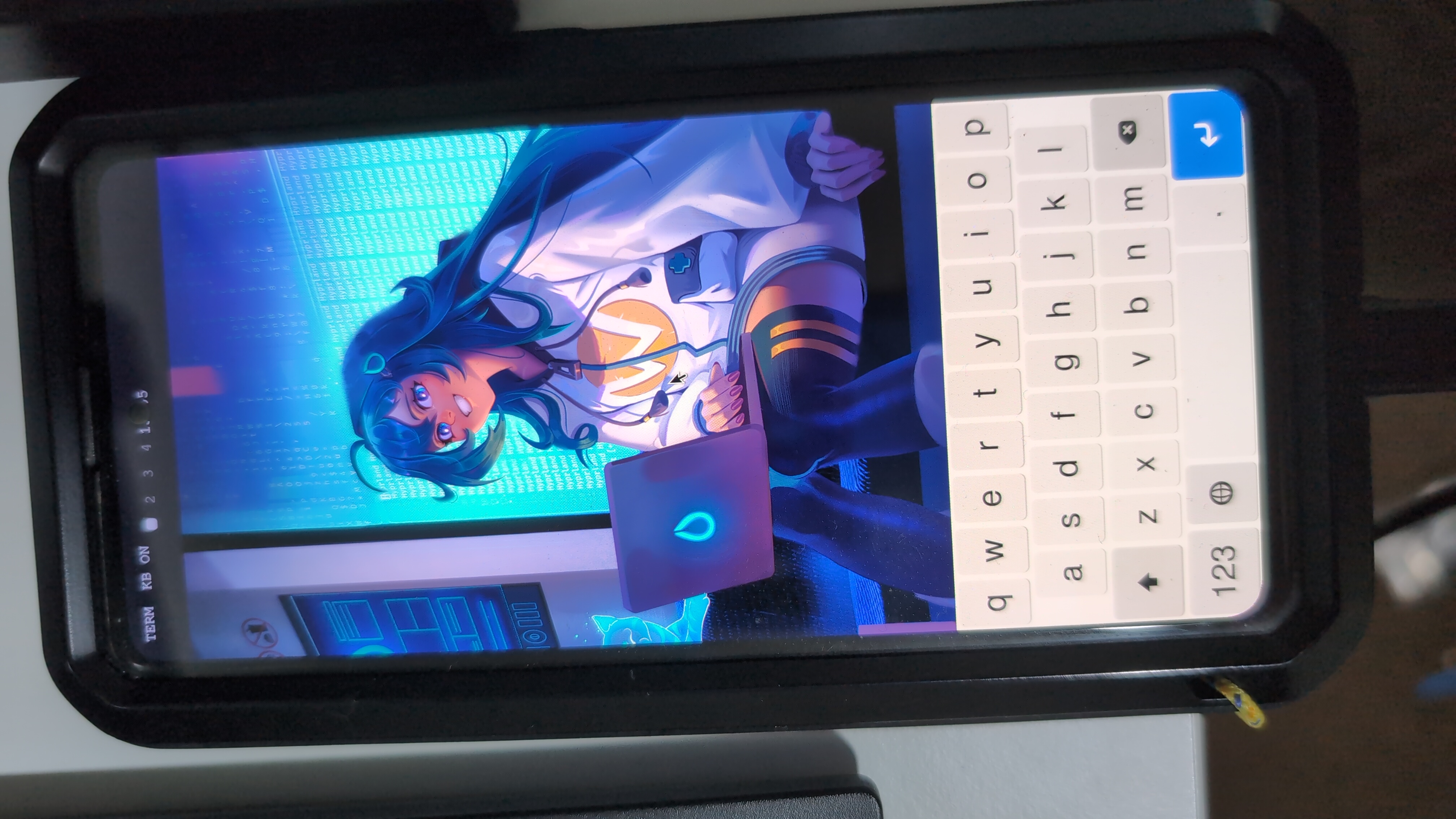
Hyprland comes with an AI waifu for some reason
Hyprland, a Wayland compositor, ran as the normal alarm user, using Adreno rendering and the portrait display at 60 Hz
with scale 2. The on-screen keyboard supplied the input that a keyboard-oriented desktop otherwise assumes.
Omarchy is an opinionated desktop setup built around Arch and Hyprland. For my device, we used selected components from a pinned 4.0.4 (Omarchy Quattro) source release: its Quickshell interface, configuration, theme assets and supporting commands. We adapted those to the phone instead of running the complete installer.
The desktop now starts automatically and displays the bar, workspaces, clock and phone controls. Tokyo Night provides matching shell and terminal colours, with its wallpaper cropped to the portrait screen.
It looks increasingly like the intended result. Compatibility still needs checking application by application: the successful GTK touch test does not prove every Qt widget or desktop tool behaves well with a finger.
I Can’t Hear You
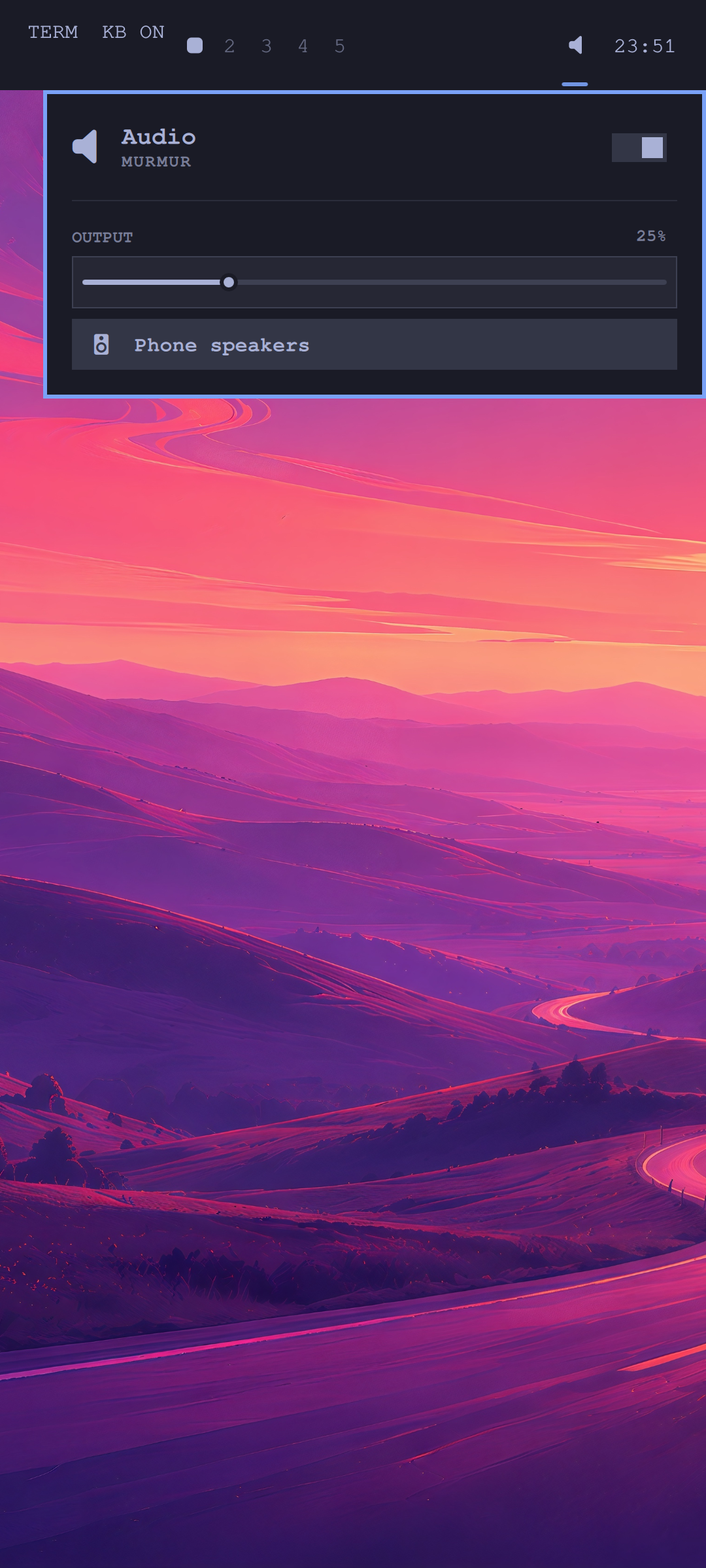
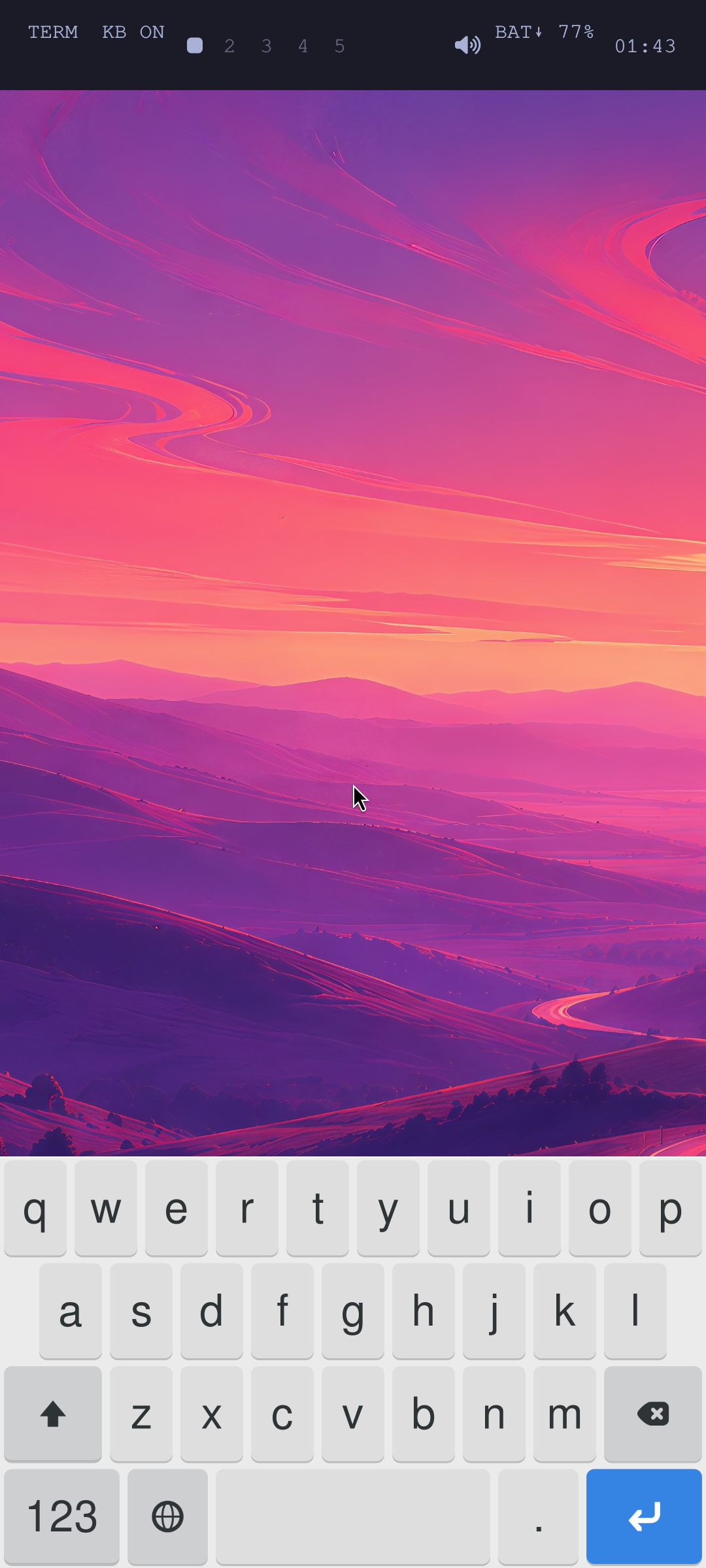
The phone-speaker volume control, set to 25%.
Internal speaker playback involved Qualcomm’s audio DSP, Q6AFE routing and two Cirrus Logic CS35L41 amplifiers. The stock speaker-protection firmware and this handset’s factory calibration had to remain part of the working path.
Several failures had distinct causes: audio slot offsets, a timing convention, mailbox acknowledgements, and a hibernate command unsupported by the stock firmware. The final driver keeps output muted until the DSP resume handshake succeeds.
PipeWire now exposes a stereo “Phone speakers” output. Playback survives reboot, software volume and mute work, and channel-separated tones completed a human listening check. When playback stops, the DSPs pause and the amplifiers mute with output power disabled.
Microphone capture and headset audio remain separate work. Speaker playback is a substantial milestone, but not the whole audio subsystem.
Charging, and Operating Detatched from the Laptop
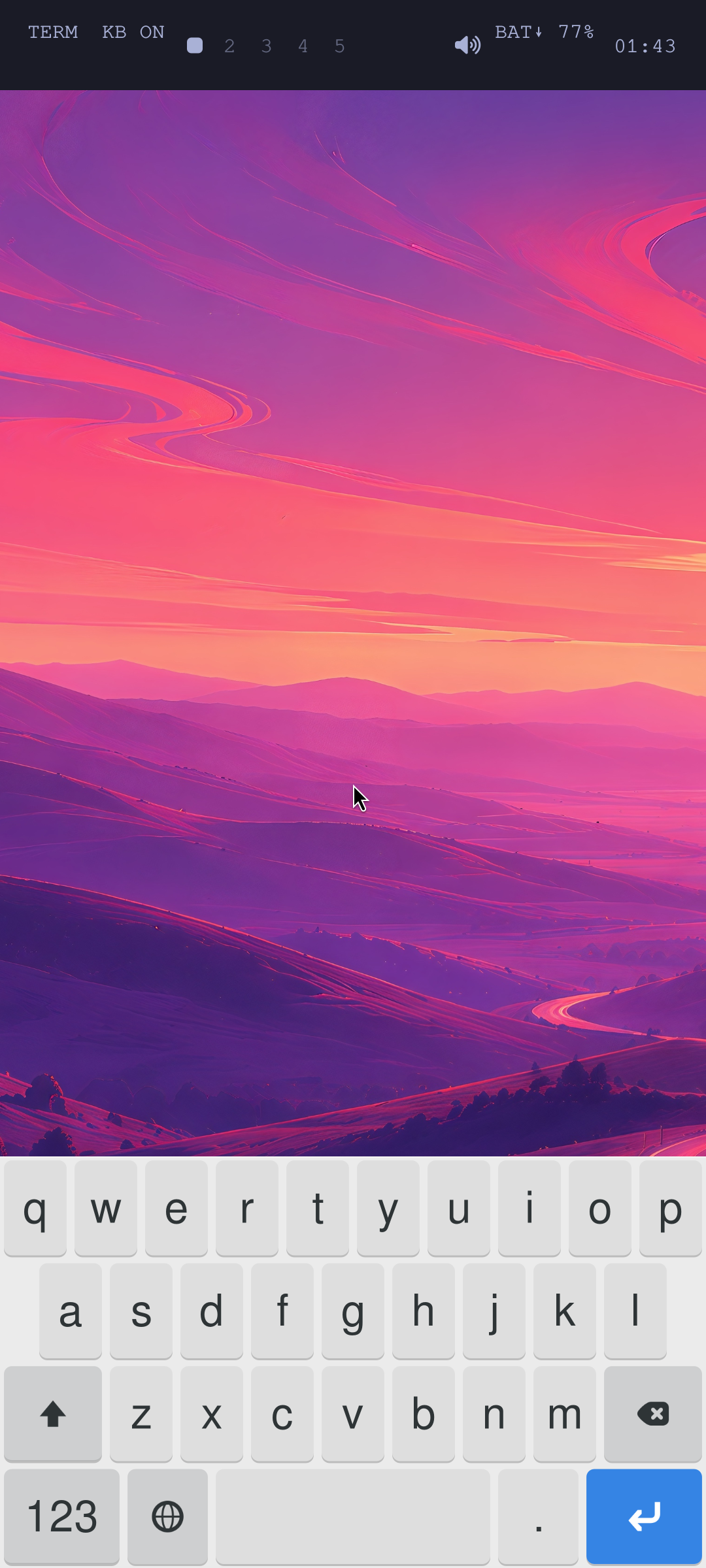
Running on battery: the desktop reports 77%.
The MAX77705 also handles charging and battery telemetry. Early charger initialization produced an interrupt storm. Comparing our device tree with stock sources exposed incorrect interrupt-pin settings; matching the stock pull-up and power-source selector resolved the observed storm.
We then validated automatic charger startup, wall-powered startup, battery-only startup and reconnecting USB after a battery boot. The desktop no longer requires a laptop’s USB connection to start.
Charging measurements showed modest positive net current during bounded idle-desktop tests. Input and charging limits are kept at or below 500 mA; lower inherited settings are preserved. This does not establish charging headroom for arbitrary workloads.
A desktop battery indicator and warning mechanism are present, although genuine low-charge threshold behaviour still needs a depletion test.
Power Management - Ongoing Work
Booting a desktop is one milestone. Leaving it in a pocket all day is another.
Deep CPU idle has caused stability problems on this boot path, and system sleep remains disabled. We keep all eight CPUs available with deep idle state1 disabled; shallow WFI and CPU frequency scaling remain usable. A newer candidate applies that mitigation earlier during kernel startup. Its automated checks and short battery soak passed, but final physical checks and manual acceptance are still pending.
Screen blanking and Side/Power wake work, with a five-minute timeout configured. Controlled battery comparisons measured roughly 603 mA with the display lit versus 444 mA blank, about a 26% reduction. Blanking helps, but does not establish complete panel power removal.
A second comparison, with the display blank, measured about 452 mA with Wi-Fi power saving off versus 357 mA on, roughly 21% lower. We now enable that saving when the screen is blank and the phone is on battery, restoring the responsive setting when conditions change.
These are separate short comparisons, not percentages to add together or an endurance prediction. The remaining monitored draw was around 1.41 W. A USB suspend trial failed because the PHY did not reach its required low-power state. A proposed kernel repair has built successfully offline but has not been installed or booted on the phone.
The practical result arrived overnight: the battery ran flat. That was not a controlled endurance test, and it does not establish battery health. We paused to let it charge and researched a replacement battery, while keeping the software power problems firmly on the list.
Project Status
We have mainline Linux, Arch Linux ARM, accelerated Hyprland, an adapted Omarchy desktop, physical touch input, an on-screen keyboard, Wi-Fi and internal speakers. Standalone startup works. Bluetooth, camera and cellular functionality remain outside the demonstrated Linux feature set.
The next work is less photogenic: reliable low-power states, native panel power control, USB resume, charging headroom and measured battery endurance. The phone has become a Linux computer. Now we need to make it a useful portable one.