Water Cooled Raspberry Pi Treehouse Stand
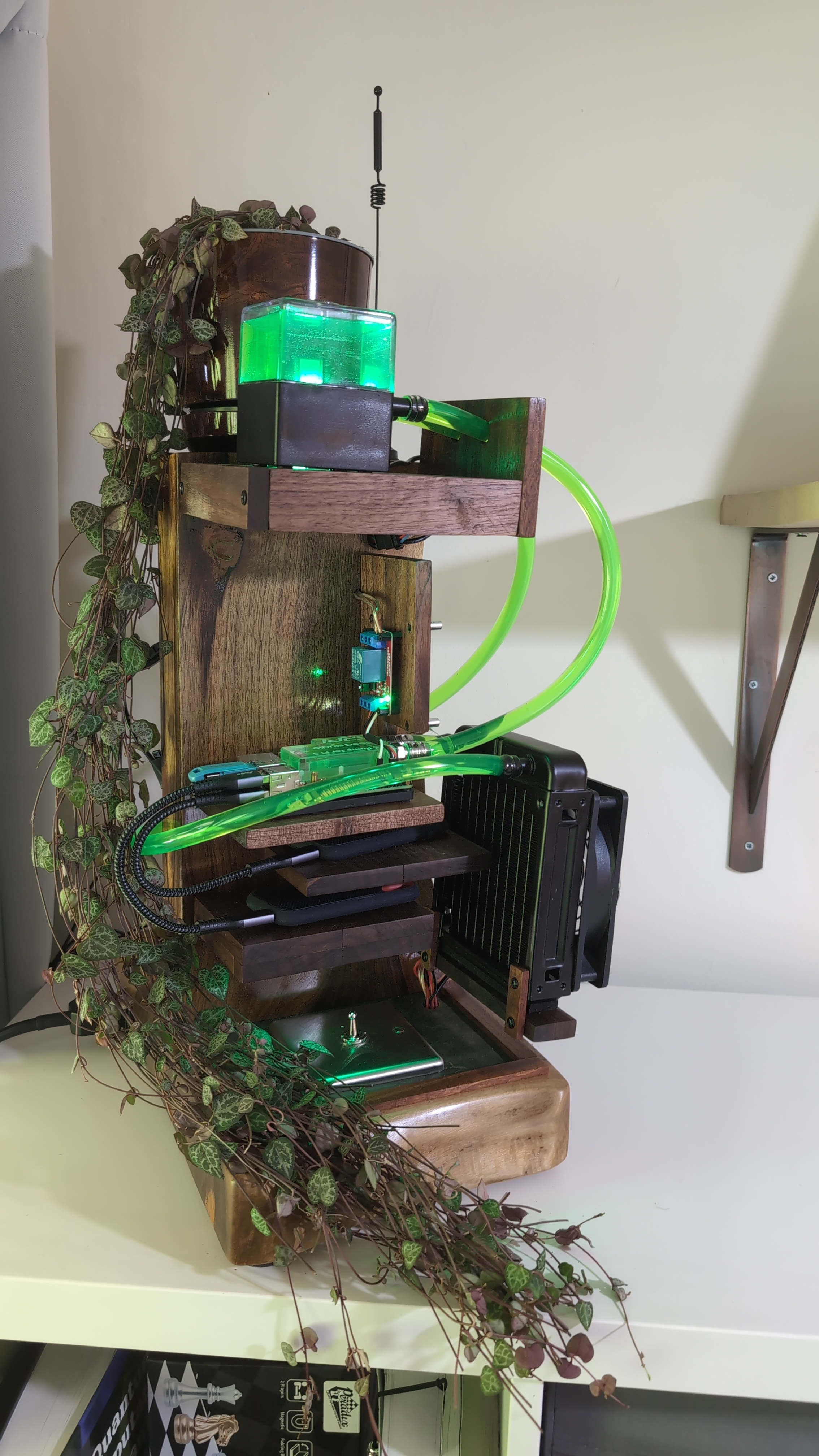
This project was a Raspberry Pi stand with a difference. It has a water cooling system. It’s made of solid walnut wood, with real leather upholstery.
Overview
Technical Information
This is a Raspberry Pi 5, with 8GB RAM and an external NVMe SSD as its main disk. It has two external USB SSDs, so it can act as a network-attached storage and as a media server. Its original wifi antenna trace has been removed, and replaced with a connector to a free-standing antenna for better signal strength.
Parts and Pieces
Woodwork and Leather
The base piece and trunk piece of the ’tree’ are from a solid slab of European light walnut. The shelves - which house the Pi, the external SSDs, and the pump - are American dark walnut. The base piece and pump bed are upholstered with genuine leather. Around the base, this is finished with a cherry wood trim at its edges.
The cherry was actually an error by the supplier. The order was for more American dark walnut, to match the shelves. I could tell it was cherry as soon as I took it out of the packet, but I knew that wet-sanding it with shellac would fill its porous surface and bring out its reddish brown hue.
The dark walnut shelving was treated with a very modest amount of Danish oil. The base piece and trunk piece - made of light walnut - were sanded to a very fine grain, then treated with many coats of Danish oil, to produce a more glossy finish.
Water Cooling System
The cooling system features a dedicated cooling block on top of the Pi. Liquid is held in a combined pump/reservoir on the top, and pumped through the cooling block to a fan. The water moves through radiator pipes attached to the face of the fan, where it is cooled, before recirculating.
Lighting and Functionality
There is green LED underlighting on some of the shelves, and a ’lamppost’ lighting the reservoir from the back. The lights and cooling system are connected to a relay switch, allowing the Raspberry Pi to turn the cooling on and off depending on temperature. A light switch at the base of the tree provides an override, allowing the lights/cooling to be always-on, bypassing the relay.
Plant
The plant is a string-of-hearts. At the moment, it has to be watered manually, but installation of an automatic plant watering system will follow. Unlike a previous effort which used an Arduino Nano hooked up to the sensor and water pump controller, this one would be using the Raspberry Pi itself to control moisture sensing and plant watering. The Pi being a networked device, this will mean it can send monitoring data to my Grafana.
Pump Bed
The pump bed is at the top of the tree, just in front of the plant. Like most of the shelving, it is made of solid American dark walnut.
Raspberry Pi Shelf
This part was a complex little piece. The Pi is mounted onto a black aluminium heat sink, which itself is screwed to the shelf. It has an external NVMe SSD. The adapter for this is normally used as a Pi ‘hat’, but my Pi has a dedicated cooling block I bought from AliExpress on the top, so the disk has to go somewhere else. In the end, it was mounted vertically on an L-shaped shelf, with a heat sink of its own clipped to the top of it. The ribbon cables used by such adapters are very fiddly and prone to break. I’m surprised I only got through two: the first one stopped working, most likely because of physical damage during installation.
On the other side of the vertical shelf is the relay switch. This is hooked up to the Pi. A systemd process is monitoring the temperature reported by a sensor in the SoC. The relay switch enables the Pi to turn its cooling system on and off. The wiring design also allowed a light switch at the base of the stand to bypass the relay. The cooling/lighting circuit can be turned on manually at will.
Programming the Temperature Control
Automatic temperature control is possible with an active cooling system. To add it, read the Pi’s SoC temperature every few seconds and use it to switch the relay. Separate on/off thresholds are used as hysteresis, preventing the relay switching on and off too quickly. Using GPIO Zero with its Pi 5-compatible lgpio backend, the gist of the code looks like this:
from gpiozero import OutputDevice
from gpiozero.pins.lgpio import LGPIOFactory

sensor = Path("/sys/class/thermal/thermal_zone0/temp")
cooling = OutputDevice(
    17, active_high=False, initial_value=True, pin_factory=LGPIOFactory()
)

while True:
    temperature = int(sensor.read_text()) / 1000  # Millidegrees to Celsius
    if temperature >= 60:
        cooling.on()
    elif temperature <= 45:
        cooling.off()
    sleep(5)
Match the GPIO number and relay polarity to the wiring: this assumes GPIO17 and an active-low, 3.3V-compatible relay module wired as normally-open. The lights are on the same circuit as the cooling pump and fan.
Run the script as a systemd service at boot, with GPIO access and Restart=on-failure. In the full script, handle
failed temperature readings by switching cooling on. Use the manual override while the service isn’t running.
Summary
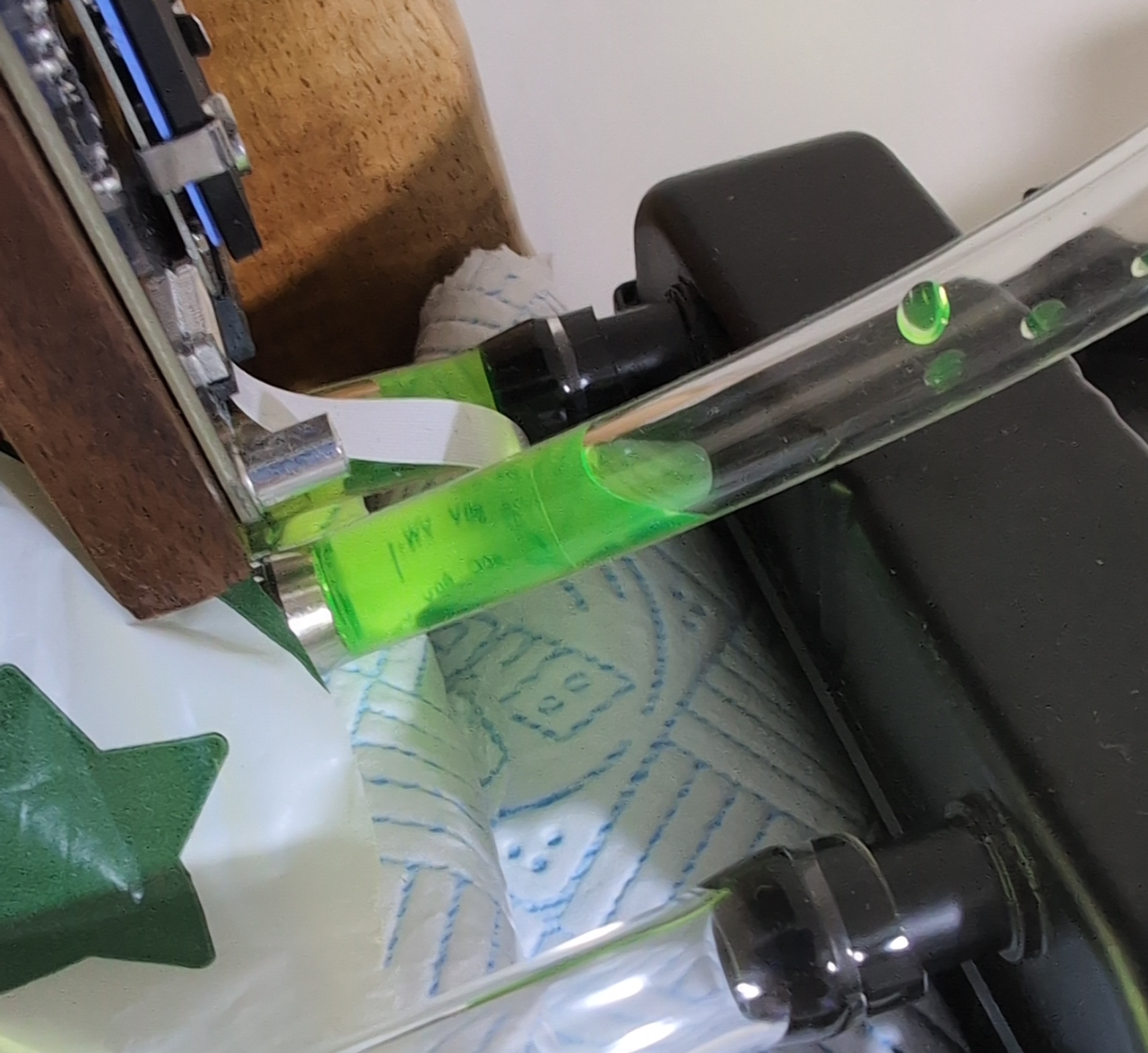
The closed-loop water cooling system didn’t leak!
This has been a very involved project, that has been going on for a number of months in the background. I don’t even know what it looks like to other people. Do they see a tree with a Raspberry Pi in a little treehouse? Do they see a cross between Groot the talking tree and the Borg from Star Trek? I can see a hundred tiny details, decisions and technical challenges that had to be solved one-by-one. Woodwork, leather work, electrical engineering, programming, 3D design. From sandpapering to soldering, from wood cutting to coding, the project has definitely been a multi-disciplinary engineering challenge. The completion brought a great sense of accomplishment. This was particularly true when I poured the liquid into the funnel: no-one’s an atheist when it’s time to find out if there’s a coolant leak.