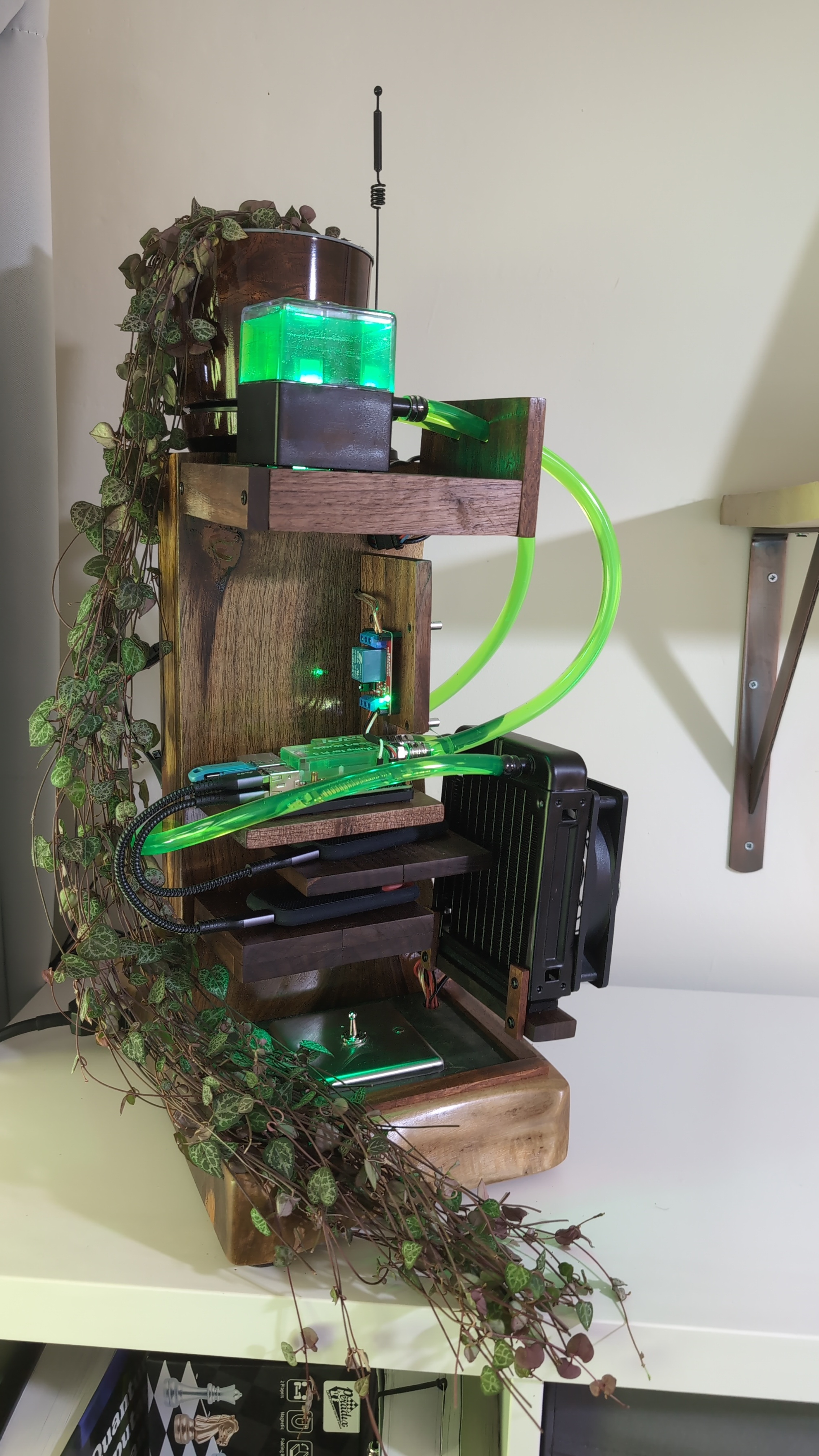
In my previous Raspberry Pi post, I built a water cooled stand out of walnut wood and leather. It has shelves for the Pi and its storage, a reservoir, a radiator, green underlighting, and a plant. Having spent that much time on the furniture, I wanted an interesting operating system to put inside it.
The result is an ARM64 port of Omarchy Quattro for the Raspberry Pi 5. It runs the Hyprland desktop on the Pi’s graphics hardware, boots an encrypted root filesystem from NVMe, and can be installed and operated without attaching a monitor or physical keyboard. We’ve published the source and USB installer images, including the packaged-runtime 0.2.0 release on 9th October 2026.
Getting there involved considerably more than making a desktop appear. The interesting problems were what happened before that desktop started, how to reach it remotely, and how to get back in when something broke.
A Desktop with Some Unusual Requirements
Omarchy is an opinionated Linux desktop from DHH and the Omarchy project. Our work follows Quattro, with Hyprland providing the Wayland compositor and Quickshell providing the desktop shell. I wanted that experience on the Pi: its menus, themes, shortcuts, launcher and everyday tools. The goal was to keep following upstream as the ARM port developed.
My hardware is a Raspberry Pi 5 with 8 GB of RAM and a 500 GB NVMe SSD. The NVMe adapter would normally sit on top of the board, but the water block occupies that space. Instead, the drive stands vertically beside the Pi, connected by a PCIe ribbon cable. Two external USB SSDs share the stand.
Three priorities shaped the software. The main system needed encrypted storage. It needed to live on the NVMe drive. And headless operation had to work throughout installation, ordinary use and recovery.
That last requirement is very practical. The Pi’s micro-HDMI ports are awkward to reach inside the stand. Plugging in a monitor every time a boot or desktop experiment fails would turn a software project into a recurring furniture-disassembly project. SSH access was important from the outset, and I also wanted to use the actual desktop remotely. Headless installation was a first-class concern.
Recovery therefore influenced the design from the beginning. A USB stick needed to boot independently of the installed system, bring up networking, and offer a way to repair it. We retained USB-first boot priority and made the installer preserve the EEPROM boot order.
Starting with a Pi That Already Boots
Omarchy’s usual installation path assumes an x86 machine. Changing a package architecture string to aarch64 does not
make that installation path suitable for a Raspberry Pi. The firmware, boot files, kernel packages and available
applications all need attention.
We started from a working Arch Linux ARM base and kept its Pi-native boot chain. That meant the linux-rpi kernel,
Raspberry Pi firmware and boot configuration, and an initramfs capable of opening the encrypted root. The desktop was
added above that foundation.
An early ARM package policy separated what was available from the Arch Linux ARM repositories, what needed building, and what was unsuitable for the Pi. Architecture checks and download selection needed to recognise ARM64. Anything that assumed an x86 bootloader, kernel or binary repository needed a deliberate replacement or exclusion.
The first graphical milestone was small: start Hyprland, create a headless output, and put a Foot terminal on it. Only then did we add the shell and the surrounding desktop services. A reduced desktop profile made failures easier to isolate while the port was young.
As dependencies were validated, we enabled more of the normal upstream experience: application launching, clipboard history, screenshots, notifications, themes, network and Bluetooth controls, audio, idle handling and locking. The reduced profile was scaffolding. The intended destination remained the upstream desktop wherever the hardware could support it.
Which Drivers Were Actually Used
Most of the hardware support came from existing projects. We did not write a new Raspberry Pi graphics driver or an NVMe driver. Our code largely connects those components to an Omarchy installation and makes their configuration repeatable.
The graphics stack uses the Pi’s VC4/V3D kernel support and Mesa’s V3D renderer. The boot configuration includes the Pi
5 KMS overlay, vc4-kms-v3d-pi5. Hyprland and its Aquamarine backend sit above that stack.
During the first smoke test, the compositor reported V3D 7.1.7.0 as its renderer. That was useful evidence: the
desktop was using the Pi’s graphics hardware. Aquamarine initially failed its GLES 3.2 attempt, then successfully
retried with GLES 3.0. We recorded the successful fallback rather than treating the first error in the log as the final
result.
Networking used existing drivers too. The onboard radio uses brcmfmac; the USB Wi-Fi adapter we subsequently used runs
through rtw88_8821cu. Our particular board’s onboard antenna had been modified during the hardware project and later
proved unreliable. We made USB Wi-Fi the preferred route on this machine and persisted NetworkManager’s power-saving
policy. That is a local hardware choice, not a requirement that every Pi owner buy the same dongle.
Bluetooth was similar. The kernel’s hci_uart and btbcm modules already exposed the controller, but BlueZ userspace
was missing. We added BlueZ and its tools, with PipeWire/WirePlumber handling desktop audio, and verified a Bluetooth
speaker connection and playback. Then we enabled Omarchy’s Bluetooth controls and pairing agent.
The distinction is important when describing an ARM port. The substantial new work was package selection, startup services, installer and recovery code, update handling, and tests of how the parts behaved together. Credit for the kernel and graphics support belongs to the projects that built it.
Encryption that can boot unattended
Full disk encryption was a requirement from the outset, but it needs a precise description. The root filesystem is inside a LUKS2 container. The separate FAT boot partition remains unencrypted so the Pi firmware can load the boot files. This does not provide an authenticated boot chain or encrypt every byte on every attached drive.
The root filesystem inside LUKS is ext4. We deliberately kept the initial storage layout conventional; Btrfs snapshots and automatic rollback were outside the first release’s scope.
For an ordinary encrypted laptop, entering a passphrase during startup is straightforward. On a headless Pi, it creates a problem before SSH has even started. Our solution is a separate, non-bootable USB unlock stick. The early boot environment reads its key, opens the encrypted root and continues startup. A recovery passphrase provides another way in.
The installer supports three choices: an unencrypted target, encryption with a passphrase entered at boot, or encryption with a separate USB key and a recovery passphrase. The key-stick option is what makes our unattended encrypted boot possible. Network-based early-boot unlocking was not needed for the first release.
There are consequently two different USB roles. The small key stick lets the installed system unlock itself. The bootable installer stick supplies a separate operating environment for installation and repair. Since boot order tries USB first, inserting the installer provides the recovery route; leaving only the non-bootable key stick attached allows the NVMe system to start.
The key is a physical credential. Leaving it beside the encrypted drive means someone taking both also takes the means to unlock it. That is the chosen convenience tradeoff, and separating the key from the drive remains meaningful. The important part for this project was making the choice explicit and retaining passphrase recovery.
A real desktop without a monitor
A compositor process running in the background is not enough to establish that a desktop works. We needed rendered frames, keyboard input, pointer input and successful reconnection from another computer.
One early surprise was that Hyprland did not automatically create a usable headless monitor in our tested configuration. We created the output explicitly before depending on application or shell startup. Session management also needed a proper login environment and user services; starting arbitrary processes from an SSH shell would not reproduce a normal desktop session.
For Remote Desktop we used hypr-rdp, built natively for ARM64 on the Pi. This is an existing project, which we packaged and integrated. It creates a headless output in Hyprland and supplies RDP access to the Wayland session.
The acceptance tests used a real FreeRDP client. We checked visible frames, typed text, clicked workspaces, disconnected, and reconnected to the running session. The tested client used the server’s ClearCodec fallback, so those results do not depend on claiming an untested hardware video-encoding path.
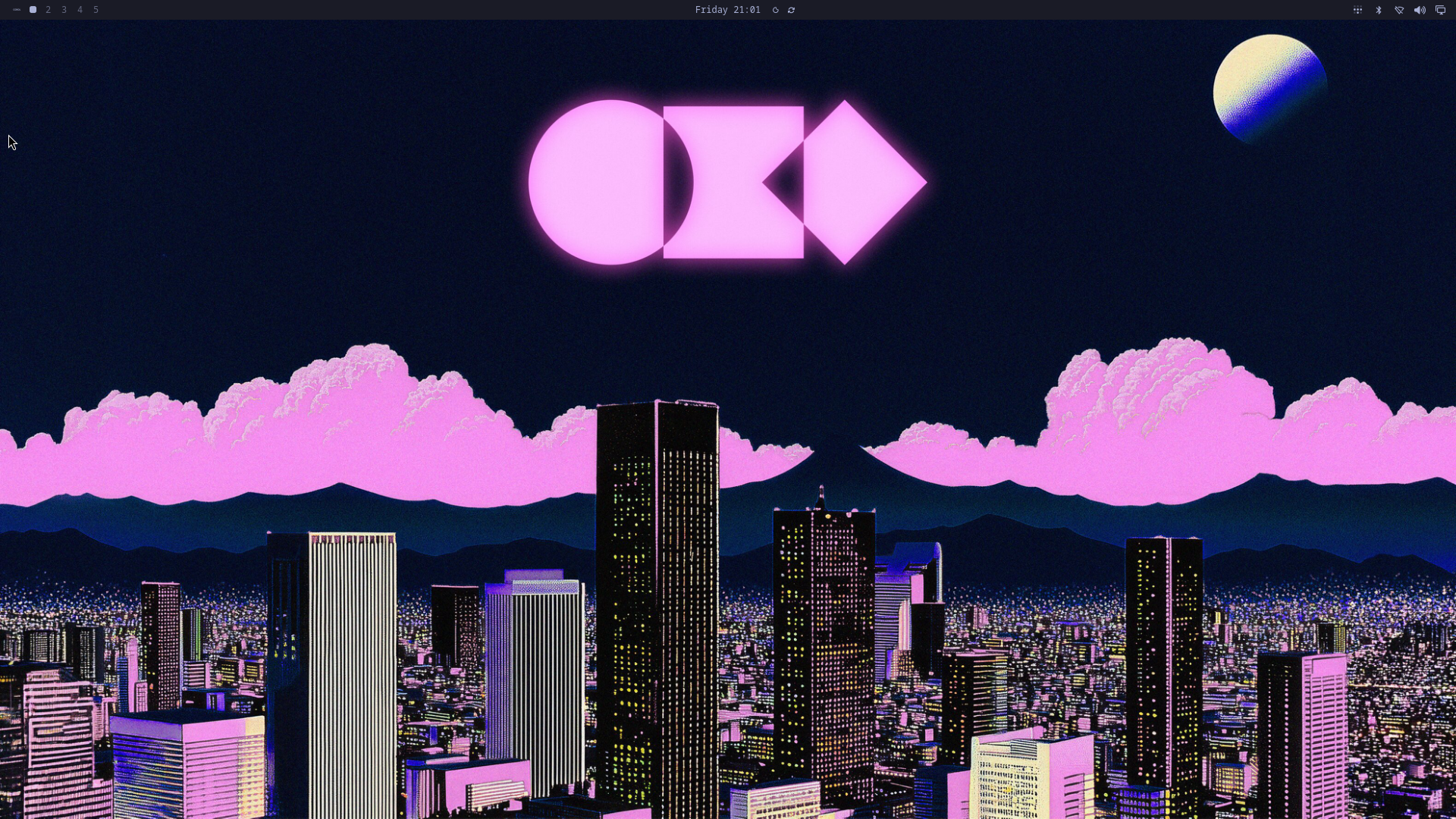
The Pi’s headless RDP output after the October update-hook repair, captured from the compositor.
This also exposed some ordinary integration bugs. In one fresh installation, SSH worked but the selected desktop user could not start RDP. The public settings file was readable, but its parent directory was accessible only to root. Fixing the directory traversal permissions, rebuilding the image and testing a fresh installation resolved it. A successful boot had concealed a broken user experience.
Installing over the connection we might lose
The installer starts from a flashed USB image. Before its first boot, the user edits installer-settings.toml on the
FAT partition to supply Wi-Fi and access settings. Ethernet is supported too. On boot, networking, SSH and the RDP
installer desktop start automatically.
Over SSH, the user opens the terminal interface with omarchy-pi-install. Over RDP, that interface opens in a terminal
on the installer desktop. Both routes lead to the same installation process: select the target, choose the account and
regional settings, configure encryption and remote access, then review the proposed operation.
Storage selection deserved particular care on a Pi surrounded by disks. Device names can move around between boots. The installer checks device identity and capacity, protects its own media and existing key media from ordinary target selection, and requires explicit erase confirmations. A key stick is a separately selected device with its own confirmation.
The actual installation runs as a background service. Closing the terminal or losing the remote connection does not end the worker. Reconnecting to the interface shows the same job and its progress. A failed installation offers a separately confirmed restart; it does not silently resume destructive work under guessed conditions.
After installation, the same USB provides a boot-repair interface. It can unlock the target using the existing key or recovery passphrase and repair boot files and the initramfs. That repair has a bounded purpose: it preserves the installed desktop and does not promise to undo every possible system change.
The crash that sent us below the desktop
The most unsettling investigation started with Quickshell failing while loading a Qt library after a reboot. It would have been easy to keep changing shell settings. Comparing reads of the library gave us a reason to look further down the stack.
Buffered reads could return different bytes from direct reads of the same file. We compared known package contents, repeated reads, booted a USB environment, and tried different kernels and PCIe link settings. Some faster-link trials also produced NVMe trouble.
The result was an operating decision, not a complete diagnosis. PCIe Gen1 became our tested baseline after repeated clean boots and checks. It trades storage bandwidth for the behaviour we could validate on this particular assembly. The Pi compatibility policy records that choice and keeps Gen2 available explicitly.
We did not establish whether the underlying cause lay in the drive, ribbon and adapter, controller, kernel, or an interaction between them. It would be misleading to describe this as a general Pi 5 defect that we fixed. Equally, a fast benchmark would have been poor consolation for a desktop loading inconsistent library bytes. Reliable reads and recoverable boots mattered more than headline throughput.
Making updates part of the port
Early installations used staged source releases with current and previous pointers. That was useful while the
integration changed quickly. The October release moved the runtime to a more conventional package layout: matching
omarchy and omarchy-settings packages, commands under /usr/bin, runtime files under /usr/share/omarchy, and user
configuration and state in their normal home-directory locations.
The familiar omarchy update command now drives the Pi’s packaged update path. There is not yet a signed downstream ARM
package feed. Instead, the updater resolves a fixed downstream source revision, builds the matching package pair,
records its provenance, and hands a validated candidate to a durable update worker alongside the Arch Linux ARM
transaction.
It retains the previous Omarchy package pair for a manual downgrade. That is a useful recovery boundary, but it is not a whole-system snapshot: restoring those two packages does not reverse every migration or other package upgrade. The packaged-runtime guide explains the distinction.
Follow-up testing after the release caught another instructive bug. Hyprland could reload its configuration while Pacman
was replacing the settings tree, leaving the live session with emergency bindings even though every installed file
subsequently passed integrity checks. Our Pi package mapping had omitted upstream’s hooks that pause and resume
configuration reloads around a transaction. The subsequent package pair ending in 6873 restored those hooks and
retained all 230 normal bindings during the tested update.
That was a particularly useful reminder of the project’s aim. Following upstream includes its maintenance machinery as well as its visible desktop. It also means checking the running session after an update, rather than stopping at package checksums.
What Has Been Shipped
The repository contains the ARM64 integration,
installer and image-building tools, package builders, recovery support, tests and documentation. Development is on
quattro-rpi5.
The first experimental Pi 5 installer release was published on 29 September. The 0.2.0 Pi 5
release, tagged
v0.2.0-pi5-2026.10.09, carries the packaged runtime. Its downloads include the compressed installer in numbered parts,
checksums, package inventories, build provenance and licence information. The README walks through assembly, flashing
and first connection.
The release notes describe exactly what was exercised. We completed a fresh encrypted NVMe installation from the accepted installer baseline, updated the final runtime packages, and verified reboot, automatic unlock, SSH and desktop/RDP startup. The exact final rebuilt USB image was checked as files but had not itself been booted natively. Those are different claims, and both belong in the release record. The installer rehearsal did not exercise a physical display, keyboard or real audio output; the Bluetooth playback check was on the earlier system.
There is also an experimental Compute Module 5 image. A photograph showed its USB installer reaching the interface and detecting attached storage; installation and first boot from target storage remain unvalidated. It should not be read as equivalent hardware acceptance.
One contribution was submitted upstream: PR #13221, still open at the time of writing, which loads shell configuration before plugin discovery begins. A delayed initial configuration read could start disabled services or allow an early settings edit to overwrite user choices with defaults. The contribution includes regression coverage and was checked on both x86 and the Pi. That work addresses a shared shell problem encountered while porting.
The achievement I’m happiest with is the complete route through the machine: boot the installer, connect remotely, install onto encrypted storage, start the desktop, update it, and retain a way back in. The walnut stand still has its plant and green lights. The computer inside now has a much more interesting desktop, and I can reach it without getting behind the water pipes.